
Trademark notice
BigBlueButton® is a registered trademark of BigBlueButton Inc. This blog post is an independent review and is not affiliated with, endorsed by, or sponsored by BigBlueButton Inc. All trademarks, service marks, and company names are the property of their respective owners.
Why BigBlueButton?
Anyone who has worked with me knows I’m a huge advocate for BigBlueButton (BBB). It’s not just a platform I use, it’s one I genuinely believe in.
I’ve been in the online learning space for years, long before it became a necessity for just about everyone. Back then, web conferencing tools weren’t exactly built with educators in mind. If you wanted to run an online class, you were either cramming your lesson into a corporate meeting platform (hello, GoToMeeting and Zoom) or battling with clunky workarounds that made even the simplest tasks a nightmare.
And then COVID hit. Suddenly, every educator, trainer, and facilitator had to figure out how to teach online overnight. Platforms that had been slowly evolving were thrown into the spotlight. Some adapted, some panicked, but one stood out for all the right reasons.
That’s when BigBlueButton really came into its own.
Built by educators, for educators
Because teaching online should be about learning, not just meeting.
Unlike other web conferencing tools that were built for businesses and retrofitted for classrooms, BBB was designed from the ground up for education. It’s open-source, meaning it’s constantly improving with input from the people who actually use it, educators.
While other platforms were focused on breakout rooms and “mute all” buttons, BBB was busy building a virtual classroom that actually makes sense for teaching and learning.
What Makes BigBlueButton Stand Out?
Interactive Teaching Tools
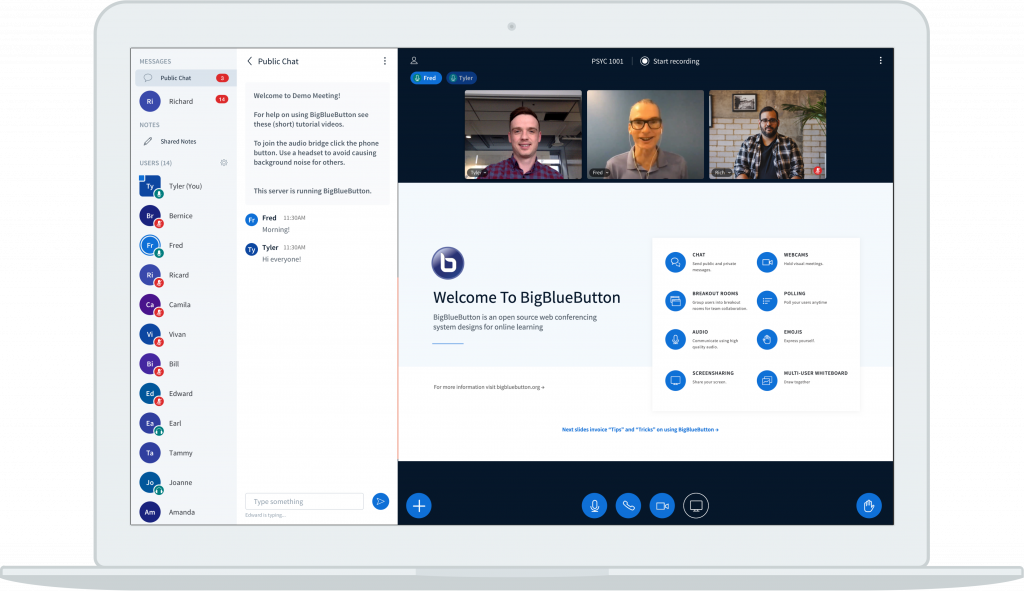
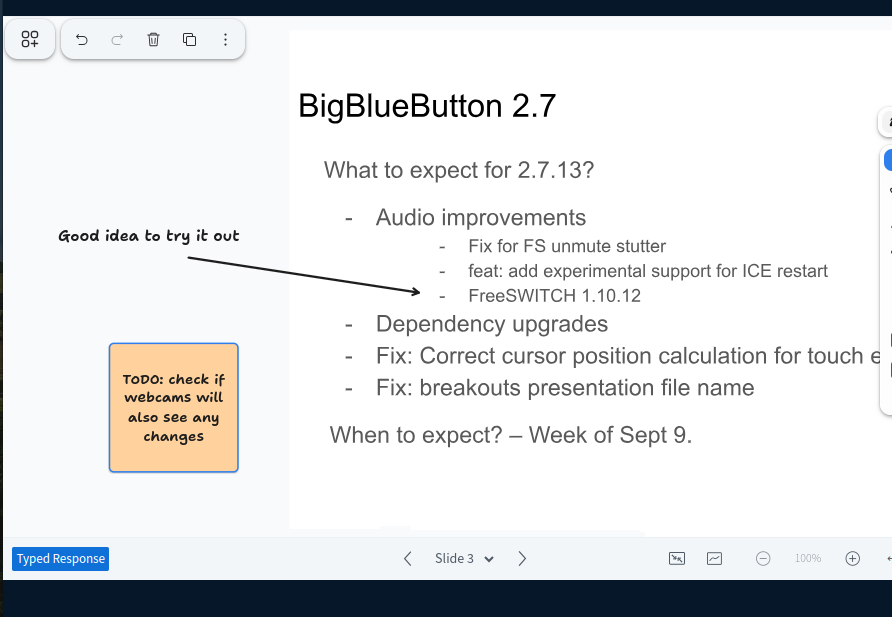
- Multi-User Whiteboard & Annotations → Interactive whiteboard tools let educators and students collaborate visually in real time.
- Shared Notes for Collaborative Learning → A built-in notepad allows students and instructors to take and edit notes together, creating a dynamic shared resource.
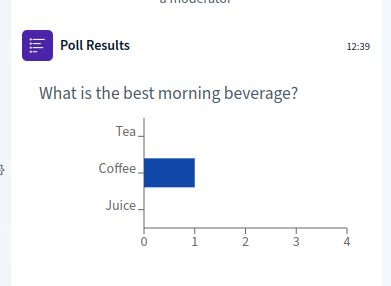
- Live Polls & Quizzes → Engage learners with multiple-choice, true/false, and short-answer polls, allowing for quick feedback and deeper discussion.
- Breakout Rooms Done Right → Easily split students into groups for discussions, problem-solving, or collaborative work, with the ability to monitor and jump between rooms.
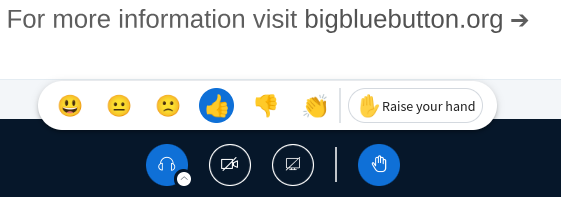
- Real-Time Chat & Reactions → Public and private chat, emoji reactions, and hand-raising features make participation easy and natural.
Smart Features for a Seamless Learning Experience
- Seamless Presentation & Multimedia Sharing
Upload slides (PDF, PPTX, etc.), annotate them in real-time, and share videos directly within the platform, no awkward screen sharing needed. - Smart Slides for One-Click Polling
BigBlueButton automatically detects poll questions within your uploaded slides, allowing you to launch polls with a single click, perfect for quick engagement. - Smart slide video playback
It also detects YouTube or Vimeo links embedded in slides, enabling one-click video playback with full audio inside BBB. No need for screen sharing or external tabs. - Engagement Tracking & Learning Analytics
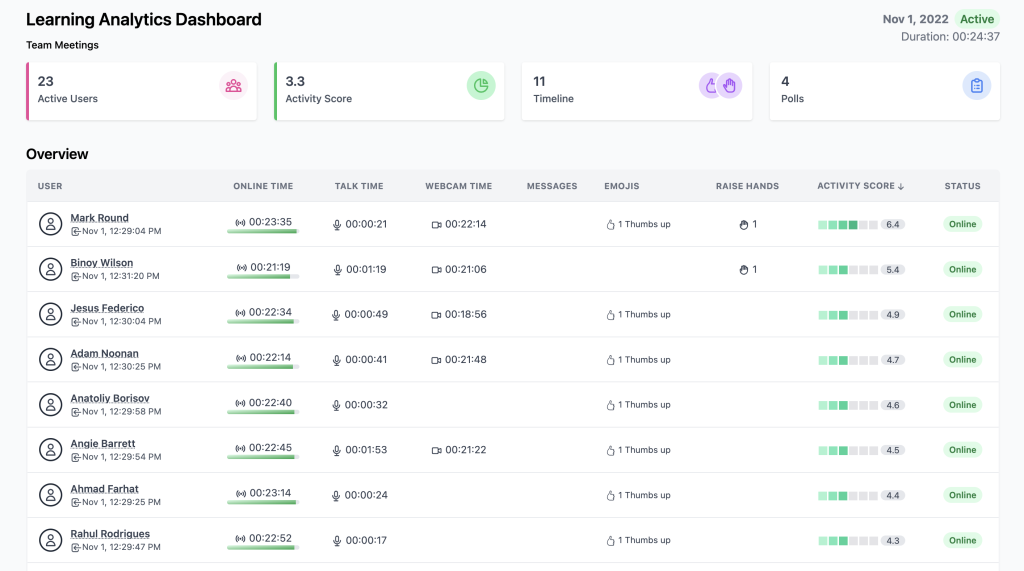
Monitor student participation with live engagement metrics and post-session reports. - Integrated Closed Captioning & Accessibility Features
Live captions, screen reader support, and customisable interfaces ensure an inclusive learning experience. - Session Recording & Playback
Record classes with indexed playback, so students can revisit key moments without scrubbing through hours of video.
Everything about BBB is designed to make online learning interactive, structured, and easy to manage, all without the distractions of clunky interfaces or unnecessary features.
BigBlueButton is packed with even more features designed to make online teaching and learning smoother, more interactive, and more engaging. I’ll be covering some of these additional features in future posts, diving into how they can be used to enhance virtual classrooms and training sessions.
I’ll also be looking at the latest updates in BigBlueButton 3.0, covering the new features that have just been released and how they can improve the virtual classroom experience.
It Plays Nicely with Moodle
One of the reasons I use BBB so often in my LMS development and consultancy work is its seamless integration with Moodle. In fact, it’s not just an add-on, it’s a core feature of Moodle.
If you’re running a Moodle-based learning platform, you don’t need to install anything extra, BigBlueButton is already there, ready to go. You just need to activate it within your Moodle settings.
This means:
- No need to send external meeting links—students can join directly from their course page.
- Sessions can be recorded and accessed later within Moodle.
- Educators can set up virtual classes and group discussions without leaving the LMS.
- Better student experience, everything happens within Moodle, keeping learning seamless.
For organisations already using Moodle, this integration makes BBB a no-brainer. It keeps everything in one place, eliminates the need for third-party conferencing tools, and ensures a smooth, fully embedded learning experience.
And if you’re not using Moodle, don’t worry, BigBlueButton integrates with other major LMS platforms too, including Canvas, Docebo and Sakai. So whether you’re running a university-wide system or a smaller-scale learning platform, there’s a way to bring BBB into your workflow.
Free Version & Restrictions
Moodle’s default free integration with BigBlueButton allows educators to get started straight away, but it does come with some limitations:
- Session recordings are only available for seven days.
- Maximum of 60 minutes per session.
- The maximum number of concurrent users per session is 25
- Viewers’ (student) webcams are only visible to the moderator.
For organisations needing longer sessions, permanent recordings, and more robust hosting, upgrading to a premium BigBlueButton hosting plan is an option. Alternatively, since BBB is open-source, institutions can self-host their own BigBlueButton server for full control over features and performance.
Who Should Be Using BBB?
If you’re an educator, trainer, tutor, or running any kind of online learning experience, you should be looking at BigBlueButton.
It’s especially good for:
- Universities and schools running remote or hybrid classes
- Vocational and professional training
- Online tutoring
- Webinars and workshops
And because it’s open-source, it’s not tied to expensive licensing fees or restrictive contracts. It’s built to work for educators, not against them.
Should You Switch to BBB?
If you’ve struggled with platforms that feel like they were made for board meetings rather than classrooms, then yes. If you tried BBB a few years ago and weren’t convinced, I’d urge you to take another look, it’s grown a lot.
I’ll be looking into some of the latest updates that make BBB even better in my next post.